 YONOKU
The problem was not simply “too many fields”
Long listing forms are often necessary. A property, service, vehicle or marketplace listing may legitimately need category, descriptive details, structured attributes, photos, pricing and other information. Removing useful fields just to make a form look shorter can damage listing quality.
The real problem is cognitive load. When every field appears in one continuous form, users have to understand the whole task at once. On mobile, that same form can feel even longer because only a small part of it is visible at any moment.
First decision: keep HivePress as the source of truth
We did not want to build a parallel listing system. Categories, listing attributes, moderation and final listing data needed to remain aligned with HivePress. The wizard therefore focuses on the submission experience while the underlying listing workflow stays native.
This decision matters because a cleaner frontend is only useful if the resulting listing still works with the rest of the HivePress site.
We grouped fields around user tasks
Instead of thinking about the form as a database schema, we mapped it to the tasks a person understands while creating a listing. A typical flow can look like this:
- Choose a category.
- Add the basic listing details.
- Complete category-specific attributes.
- Upload images.
- Add pricing or other commercial information.
- Review the listing before final submission.
The exact steps can change from site to site. The important part is that each step has a clear purpose and that related fields stay together.
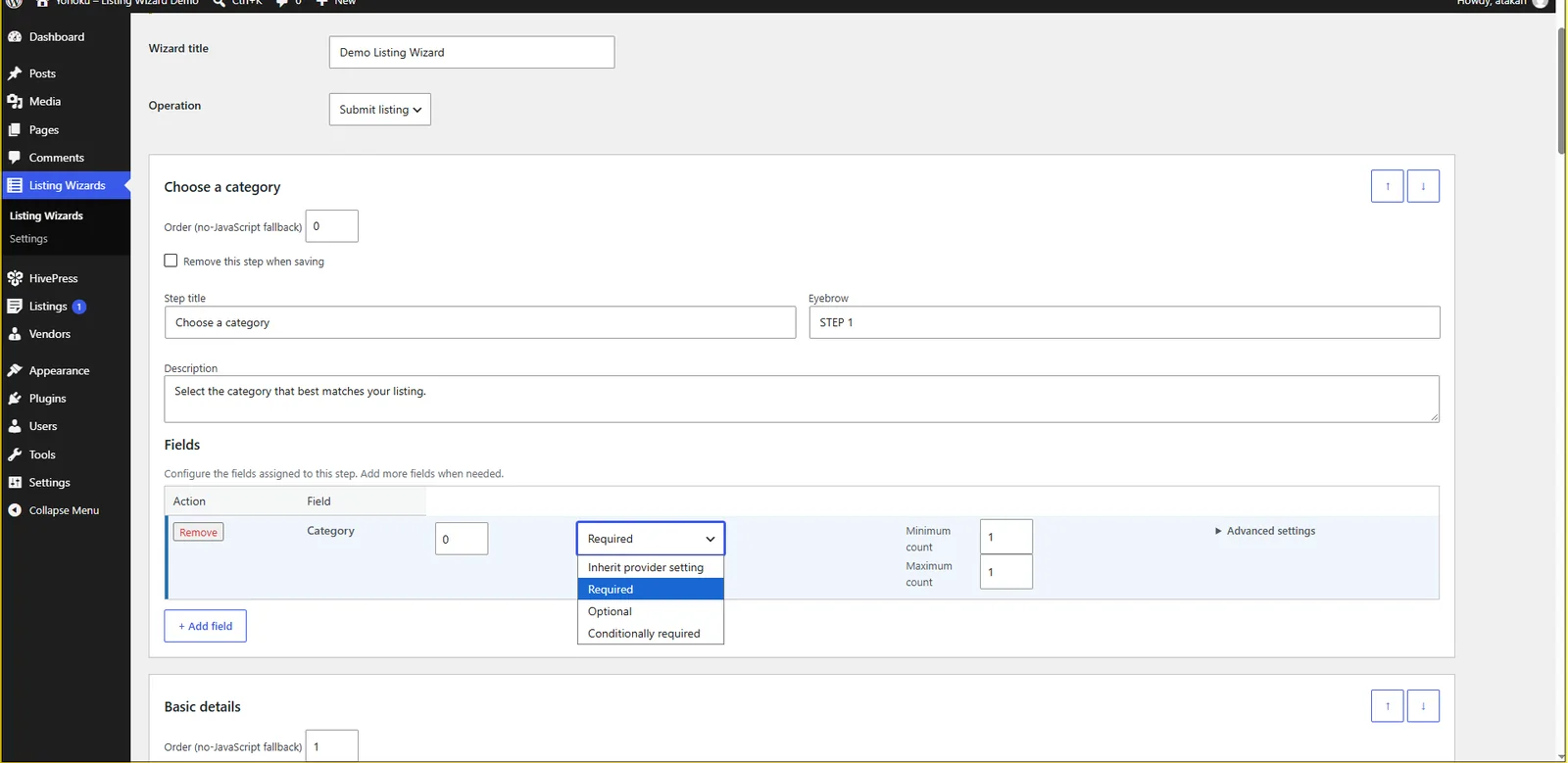
Category selection became a way to reduce complexity
HivePress sites often use attributes that apply only to certain categories. Showing every possible field to every user creates unnecessary noise. In the wizard, category-aware fields remain tied to the selected category, and a step with no relevant fields can be skipped instead of showing an empty screen.
This makes the form adapt to the listing being created rather than forcing every listing type through the same visible inputs.
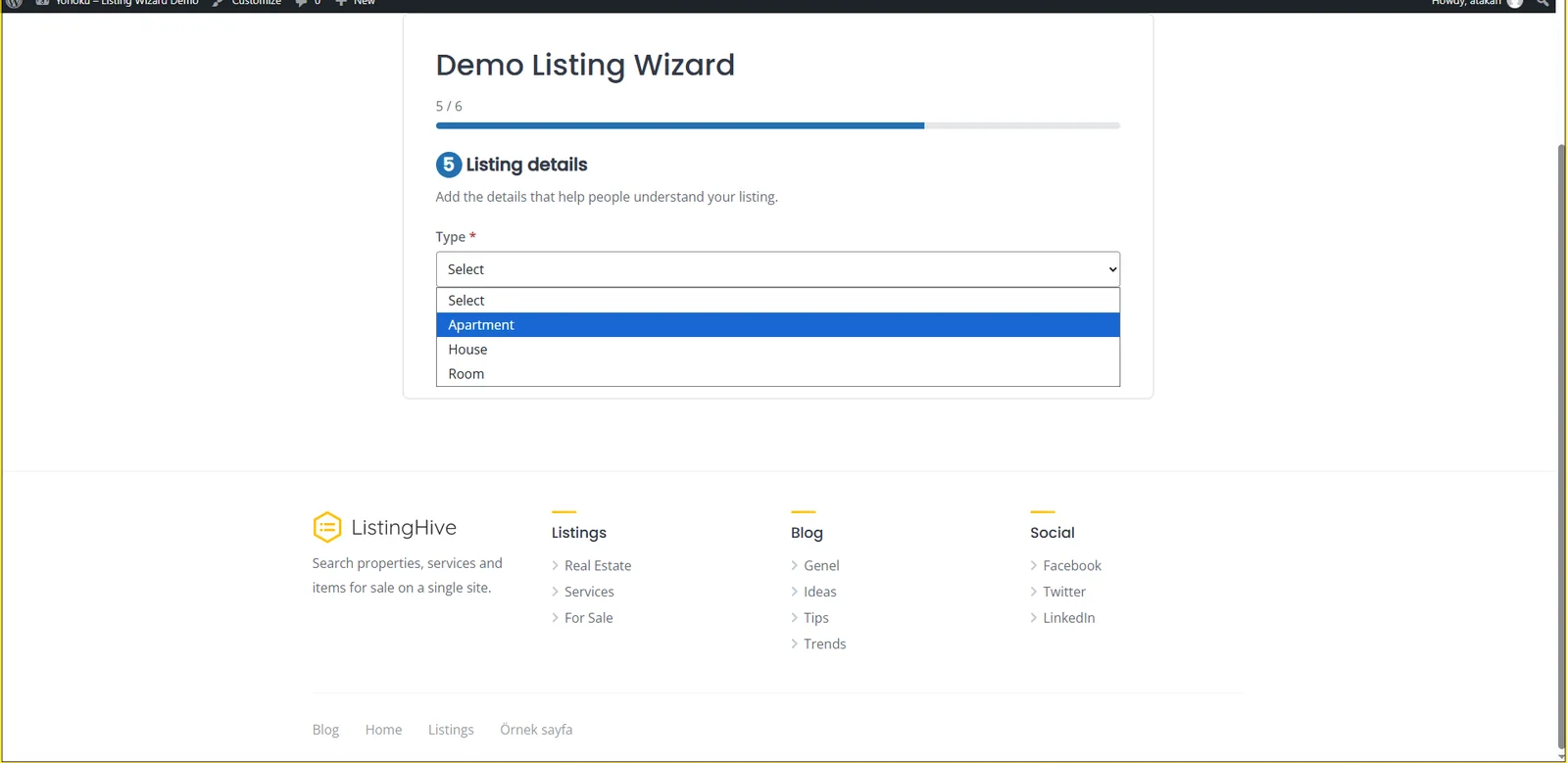
Save and resume solved a real workflow problem
Long submissions are not always completed in one sitting. A listing owner may need to find specifications, prepare images or confirm details before continuing. For logged-in users, save and resume lets the submission behave more like the real task instead of forcing completion in a single session.
Validation had to work beyond the browser
Client-side feedback is useful because users can immediately see what is missing. It is not enough on its own. Required values and submission rules also need server-side validation so the finalization process does not depend only on browser behavior.
That is why validation became part of the wizard architecture rather than a visual afterthought.
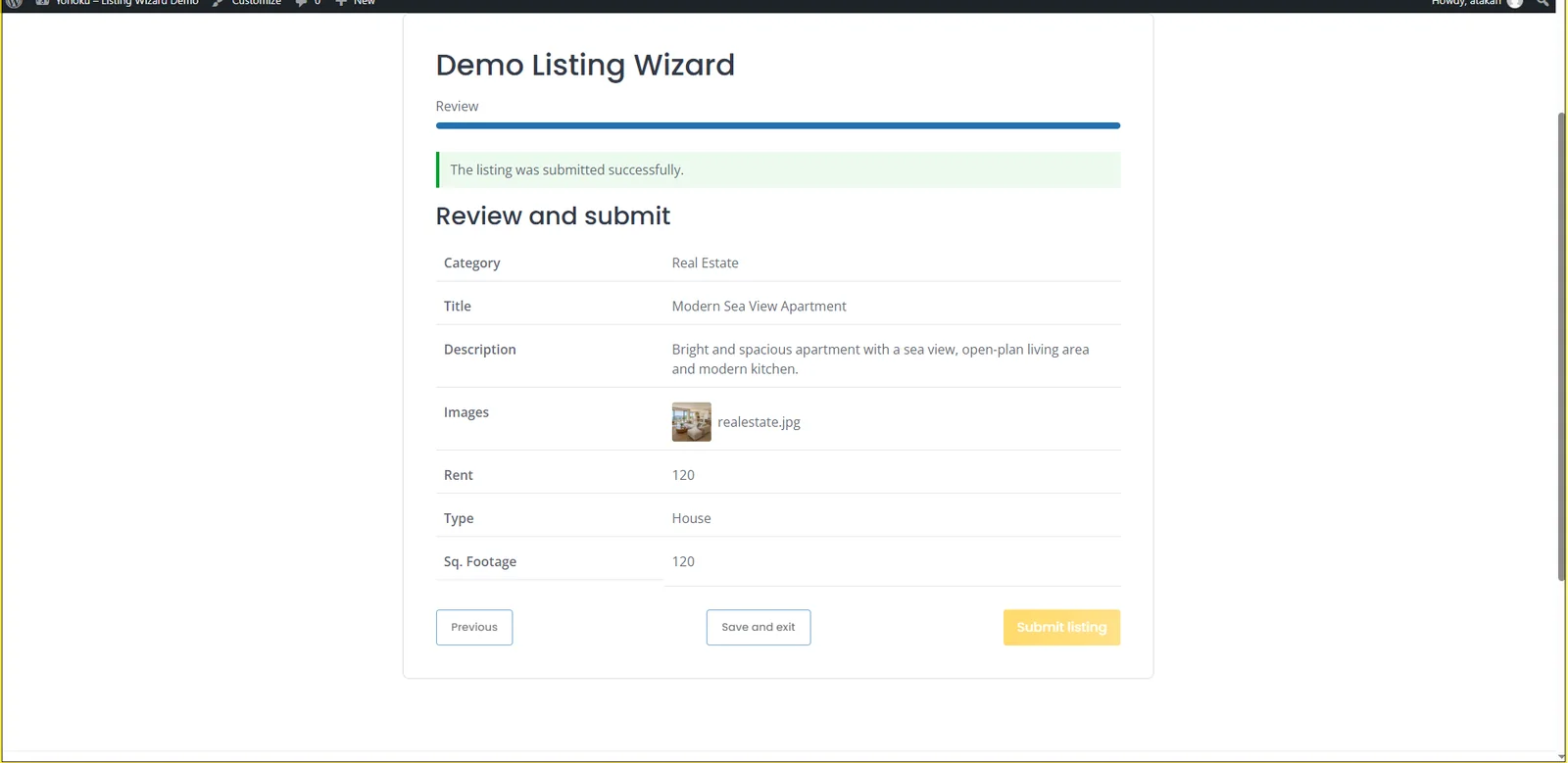
We added a review step before final submission
When a listing contains several structured fields and images, users benefit from a final checkpoint. The review step summarizes the important values and uploaded images before the listing is finalized. This gives the user a chance to catch obvious mistakes without going back through one giant form.
What we learned while building the flow
- Do not create steps just to make the progress bar longer. Each step should represent a meaningful task.
- Category logic is part of UX. Hiding irrelevant inputs can matter as much as the visual layout.
- Long forms need interruption tolerance. Save and resume becomes useful when users may need information they do not have immediately.
- Review is most valuable when it summarizes. Repeating the entire form defeats the purpose.
- Preserving the native platform workflow reduces downstream complexity. A better submission interface should not break the listing system around it.
When a multi-step listing form makes sense
A wizard is most useful when a submission contains multiple logical groups, category-dependent attributes, image uploads or information that may take time to gather. A very short form with only a few simple fields usually does not need multiple steps.
The goal is not to make every HivePress form multi-step. The goal is to make complex submissions easier to understand and complete.
See the result
Listing Wizard for HivePress packages these decisions into a configurable WordPress extension. The public demo shows the frontend flow, and the read-only admin demo shows how the steps are built.