 YONOKU
↳
Multi-step builder
Organize listing fields into clear steps, choose required fields and publish a stable wizard revision.
Listing Wizard for HivePress is a WordPress plugin that turns long listing submission forms into a guided, category-aware multi-step flow users can save, resume, review and submit with confidence.
demo
Password YonokuDemo2026!
Read-only shared demo
Create a structured listing flow from the HivePress fields already available on your WordPress site. Use it for property, vehicles, services, jobs, marketplaces, accommodation and other listing workflows.
The wizard stays aligned with HivePress instead of creating a separate listing system. Your categories, attributes, moderation flow and listing data remain native to HivePress.
Organize listing fields into clear steps, choose required fields and publish a stable wizard revision.
HivePress category-scoped attributes appear only when they are relevant to the selected listing category.
Authenticated users can save unfinished progress and continue later instead of starting over.
Required values and field rules are validated on the server rather than trusted to browser behavior alone.
Uploaded images can be reviewed with safe filenames and thumbnails before the listing is submitted.
Final submissions create or update the HivePress listing through its normal data model and moderation workflow.
Watch the frontend listing experience and the WordPress admin builder in one short walkthrough.
These are real screens from the v1.0.0 demo environment — not design mockups. Click any image to inspect it at full size.
 View full size ↗
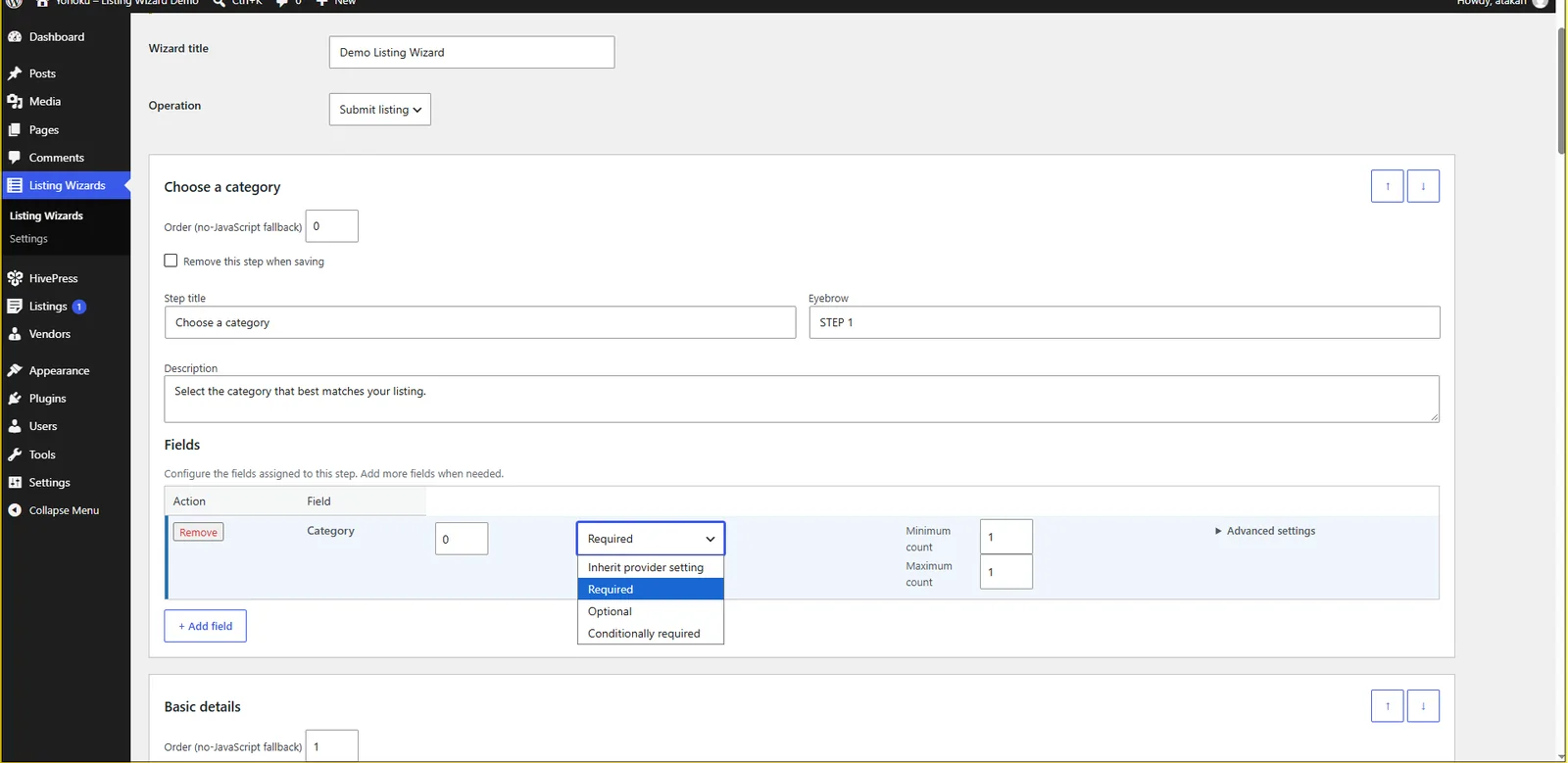
Create steps, assign native HivePress fields, and choose inherited, required, optional or conditional requirements from wp-admin.
 View full size ↗
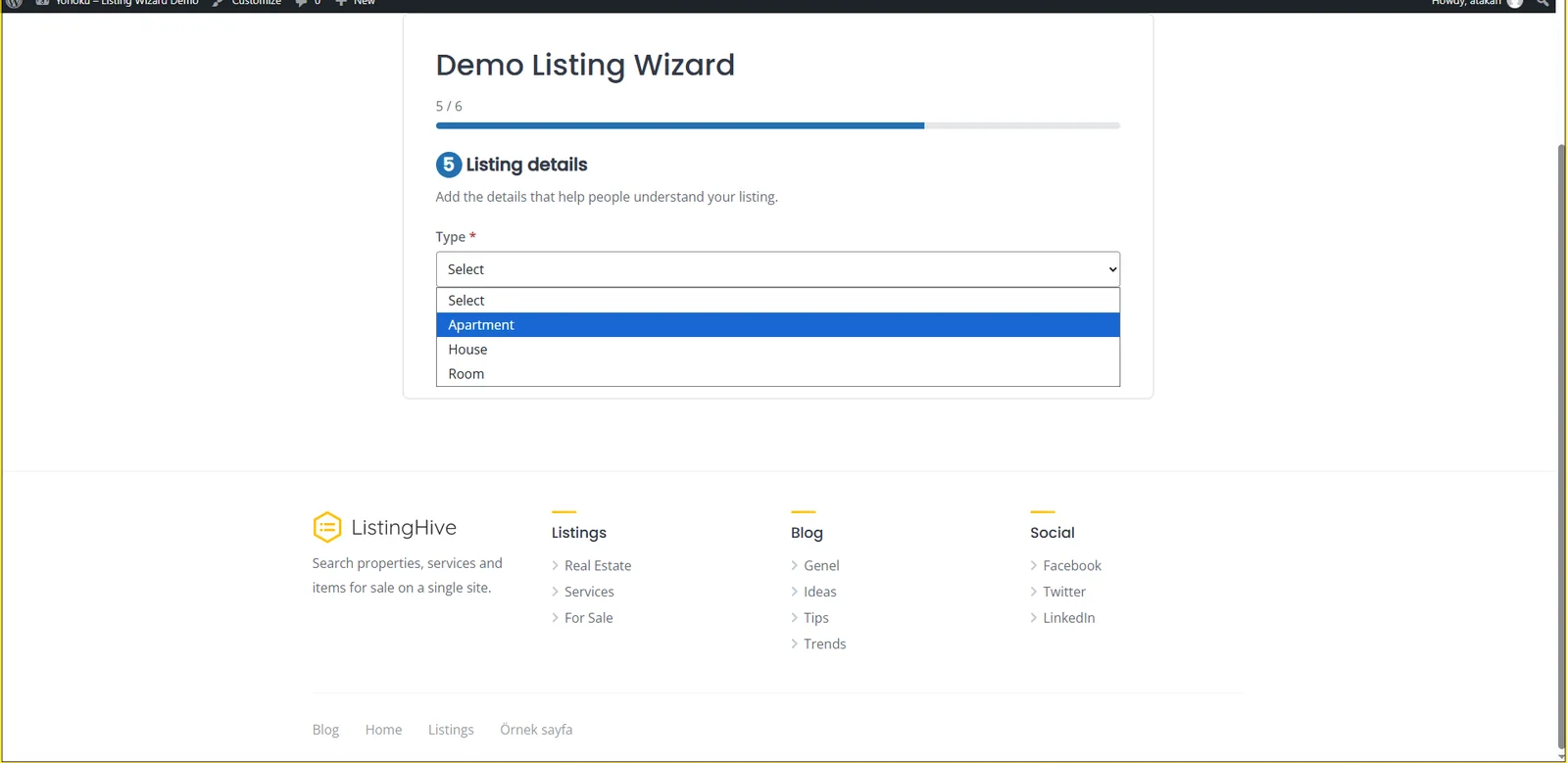
Users move through a clean multi-step flow while category-aware attributes appear only where they are relevant.
 View full size ↗
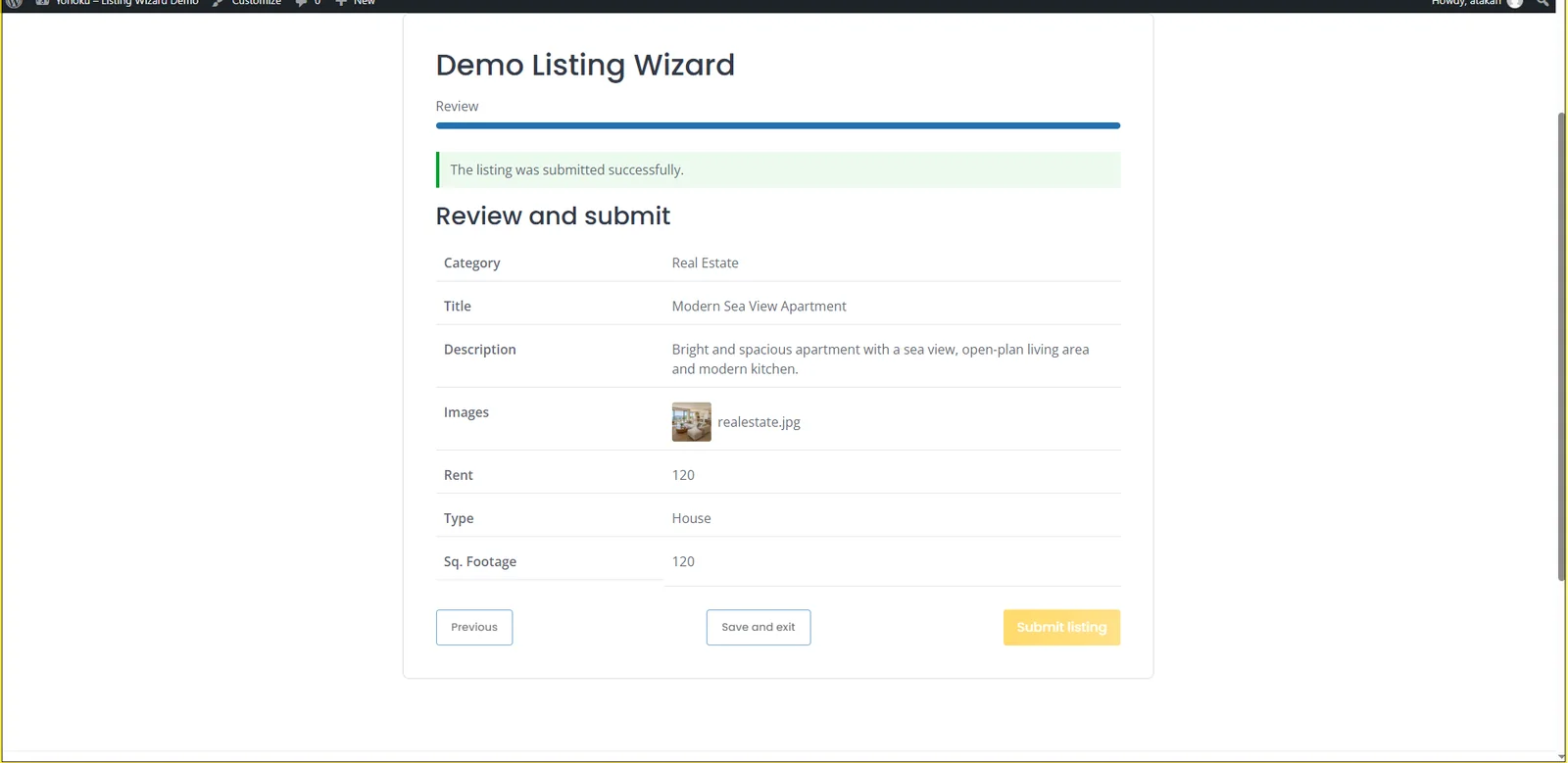
Review structured values and uploaded images with a safe filename and thumbnail before the final HivePress submission.
The public demo runs on a separate WordPress + HivePress environment with sample categories and category-specific custom fields.
Choose a category, complete the fields, upload an image, review the submission and see how the wizard adapts to the listing type.
Version 1.0.0 passed the complete release matrix and real browser end-to-end testing before packaging.
Open the same Listing Wizards interface used by site administrators. Inspect steps, fields, category-aware rules and builder controls in a protected public demo.
demoYonokuDemo2026!Practical guidance for site owners who need to organize long HivePress listing forms, category-specific fields, validation, images and review steps.
See how a long HivePress submission form can be organized into clear steps without replacing the native listing workflow.
Learn how to group fields, reduce friction, handle validation and make longer listing workflows easier on mobile.
Read the product design case study behind the multi-step flow: category logic, save & resume, validation, review and native HivePress finalization.
Use the public frontend and read-only WordPress admin demos to inspect the actual listing wizard before purchasing.
One annual license for one WordPress site. Commercial checkout is provided through Lemon Squeezy.
Single-site annual license.
Renews annually unless cancelled. Checkout, tax calculation, receipts and subscription billing are handled securely by Lemon Squeezy.
We intentionally keep the supported baseline modern rather than promising compatibility with outdated PHP and WordPress installations.
HivePress is required. ListingHive is not required; the plugin is designed for HivePress-compatible listing sites.
Quick answers about compatibility, category-aware fields, licensing and how the plugin fits into an existing HivePress site.
It organizes the frontend HivePress listing submission process into a guided multi-step flow while keeping the underlying listing data, categories, attributes and moderation workflow native to HivePress.
Yes. The wizard is built around the listing fields and attributes already available on the site, including category-scoped fields that should only appear for relevant listing categories.
No. HivePress remains the listing system. Listing Wizard changes the submission experience and finalizes listings through the native HivePress data model and workflow.
No. HivePress is required; ListingHive is only used on the public Yonoku demo site.
Authenticated users can save progress and resume an unfinished submission later, helping longer listing forms feel less demanding.
The standard license covers one WordPress site, licensed plugin updates and email support while the annual subscription is active.